How a $7,000 licensing quote led to building an open source patch management tool from scratch
PatchMan is in active development and approximately 60-70% complete toward a v1.0 release. Core features are built and running in production. Remaining work includes authentication, dynamic host management, a settings UI, and open source preparation. Screenshots shown are from the current development build and may not reflect the final release.
The Problem
I manage over 15 Linux machines across multiple distributions. The fleet includes Debian and Ubuntu servers, a CachyOS (Arch-based) desktop, Proxmox hypervisors, and Proxmox Backup Server instances spread across two VLANs. Keeping everything patched meant SSH-ing into each machine individually, running updates, and hoping I did not forget one.
I went looking for a centralized patch management solution that was free, open source, and self-hosted. The obvious candidate was Ubuntu Landscape, but it has a hard limit of 10 machines for self-hosted deployments. Covering the full environment with Ubuntu Pro licensing would have cost roughly $7,000. For a home lab and small infrastructure, that is not a reasonable expense.
Nothing else fit the requirements either. Most open source options were either abandoned, enterprise-focused with steep learning curves, or limited to a single package manager. I needed something that handled apt, pacman, and Proxmox repos from one dashboard, and I needed it to work over SSH without installing agents on every machine.
So I built it.
What PatchMan Does
PatchMan is a lightweight, self-hosted Linux patch management system with a web dashboard. It connects to all managed hosts over SSH, scans for available updates, and lets you deploy patches from the browser. No agents, no cloud, no licensing fees.
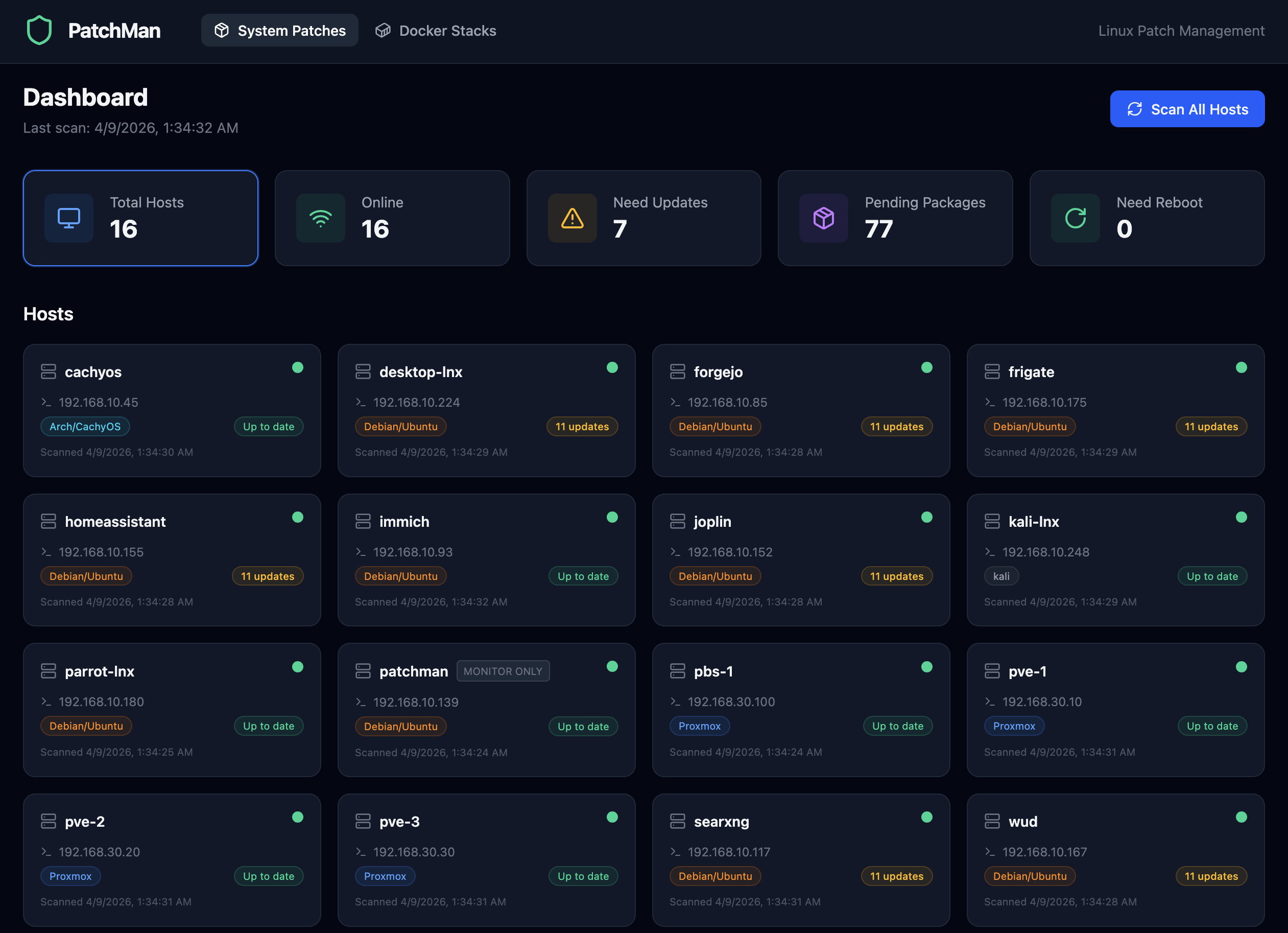
The System Patches dashboard showing all hosts with summary cards and update status
The core features:
- Centralized dashboard with summary cards (total hosts, online, need updates, pending packages, need reboot) that double as clickable filters
- Multi-distro support for apt (Debian/Ubuntu), pacman (Arch/CachyOS), and Proxmox systems
- SSH-based scanning and patching with parallel execution across all hosts
- Reboot detection that checks for kernel/libc updates and provides a manual reboot button with confirmation
- Patch history with expandable log viewer showing full apt/pacman output
- Scheduled scans every 6 hours with 30-day history auto-cleanup
Docker Stack Management
Phase 6 added Docker Compose stack management. PatchMan discovers stacks on Docker-enabled hosts, compares local image digests against remote registries using non-destructive checks, and shows exactly which containers have new images available. One-click update runs docker compose pull followed by docker compose up -d, recreating only the containers whose images changed.
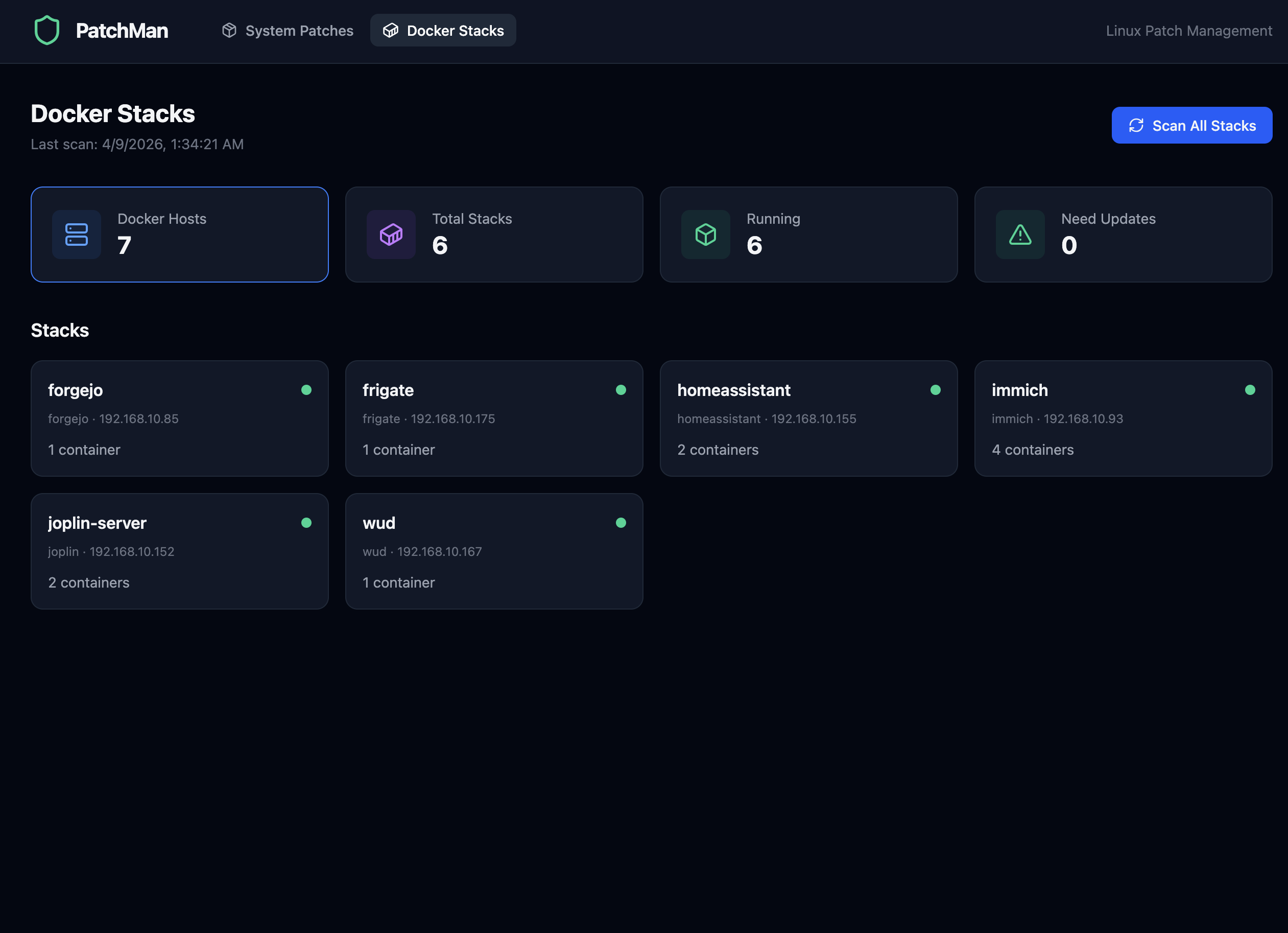
Docker Stacks view with stack cards showing host, container count, and online status
Built-in Help
Rather than maintaining a separate wiki, PatchMan includes a Help and FAQ page built directly into the application. It has searchable, expandable sections covering system patches, Docker management, firewall questions, and general usage. The search highlights matching terms and supports keyboard navigation.
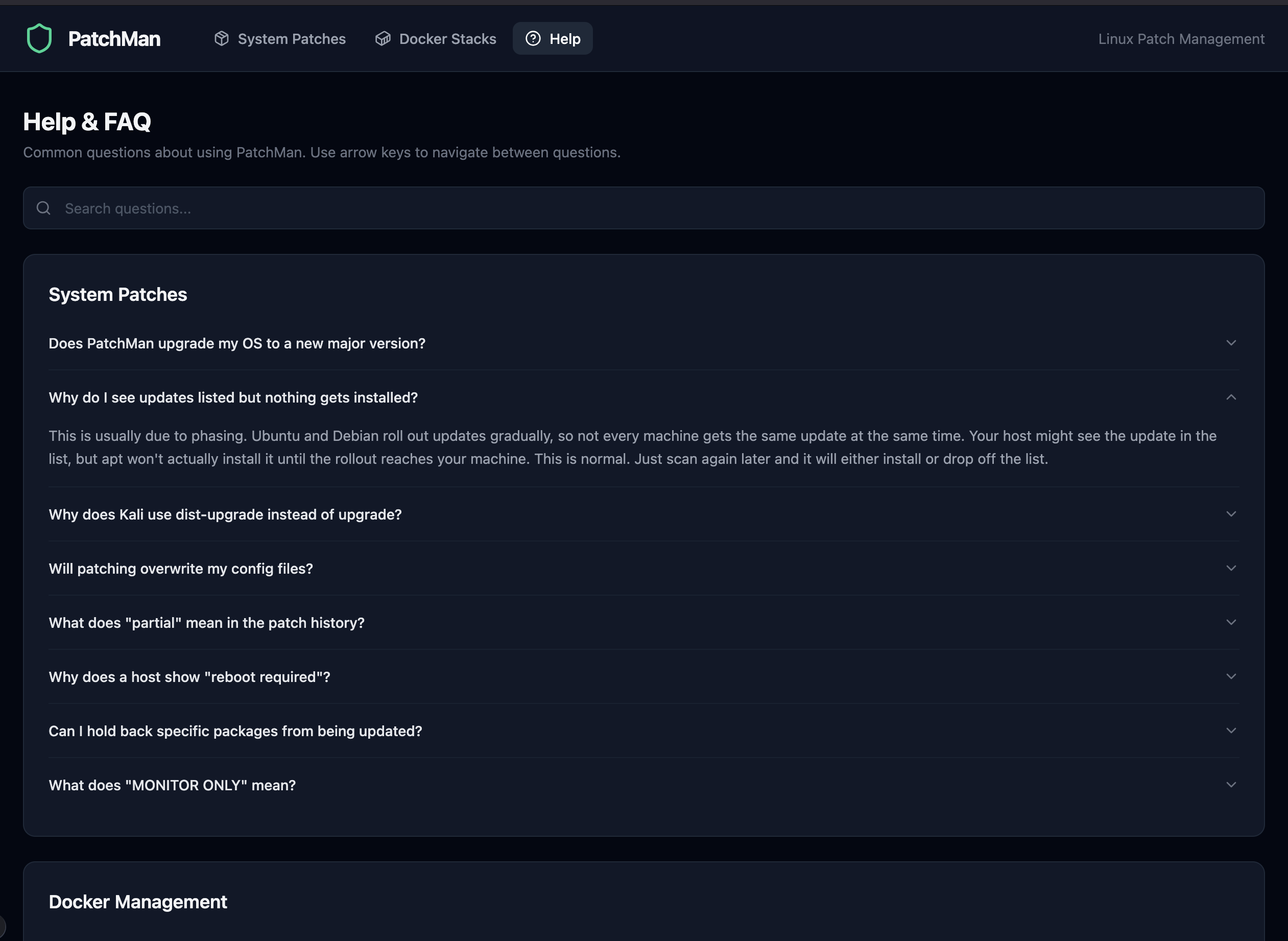
The integrated Help and FAQ with searchable accordion sections
Architecture
The tech stack was chosen for simplicity and minimal dependencies:
| Layer | Technology | Why |
|---|---|---|
| Backend | Python 3.12, FastAPI | Async-native, fast to build, clean API structure |
| SSH | asyncssh | Parallel connections to all hosts without blocking |
| Database | SQLite (aiosqlite + SQLAlchemy async) | No extra services to run, single file, async support |
| Frontend | React 19, Vite 8 | Modern SPA with fast dev iteration |
| Styling | TailwindCSS 4, Lucide icons | Dark-themed responsive UI with minimal custom CSS |
| Scheduler | APScheduler | Periodic scans without cron or external job runners |
| Production | systemd + Nginx | Reboot-survivable, reverse proxy with proper headers |
The entire application runs on a single Ubuntu Server VM with 4 cores, 4GB RAM, and 100GB disk. The backend serves a REST API, the frontend is a static build served through Nginx, and all host communication happens over SSH key authentication.
+------------------------------------------+
|  PatchMan Server                         |
|                                          |
|  +----------------+  +----------------+  |
|  | FastAPI        |  | React/Vite     |  |
|  | Backend        |  | Frontend       |  |
|  | :8000          |  | (static build) |  |
|  +----------------+  +----------------+  |
|          |                    |           |
|  +------------------------------------+  |
|  | Nginx Reverse Proxy       :80      |  |
|  +------------------------------------+  |
+------------------------------------------+
           |
           | SSH (key-based, parallel)
           v
+------------------------------------------+
|  Managed Hosts (15+)                     |
|                                          |
|  apt / pacman / proxmox                  |
|  Docker Compose stacks                   |
+------------------------------------------+
Key Design Decisions
- Per-session database for parallel scans. Each
scan_hosttask creates its own SQLAlchemy async session to avoid concurrent transaction errors when scanning all hosts in parallel viaasyncio.gather. - No agents. Everything is SSH-based. The only requirement on managed hosts is SSH key access and passwordless sudo for package manager commands.
- Non-destructive Docker scanning. Image update detection uses
docker buildx imagetools inspectto compare digests without pulling any images. Only the explicit Update button downloads anything. - Never auto-reboots. PatchMan detects when a reboot is needed but will not do it automatically. The operator must click the button and confirm.
- The PatchMan server monitors itself but cannot patch itself. Patching the server you are running from via its own UI would be like pulling the rug out from under yourself. It shows up on the dashboard with a "MONITOR ONLY" badge so you can see what needs updating, but you handle it manually via SSH.
The Build Process
PatchMan was built in phases, each one adding a complete, testable feature set:
- Phase 1-2: Backend foundation (FastAPI, SQLite, host inventory) and SSH-based scanning with multi-distro parsers
- Phase 3: React dashboard with host cards, summary stats, and click-through detail views
- Phase 4: Patch deployment with confirmation dialogs, progress banners, expandable log viewer, and post-patch auto-scan
- Phase 5: Production deployment with systemd service, Nginx reverse proxy, reboot detection, and clickable filter cards
- Phase 6: Docker stack management with discovery, digest-based update detection, one-click pull and recreate, and update history
Each phase was fully tested and deployed before starting the next. The result is a production system that has been managing real infrastructure since it was built.
Going Open Source
PatchMan is being released as open source under the MIT license through QuietWire Dev, a separate identity focused on open source infrastructure tools. The GitHub organization is at github.com/quietwire-dev.
The open source release (Phase 7) involves removing hardcoded host configurations, adding environment-based setup, building a first-run wizard, and sanitizing the git history of any personal details. The goal is a clean repository that anyone can clone, configure for their own environment, and deploy.
For more details and screenshots, see the Open Source page.
What I Learned
- Build what you actually need. PatchMan exists because nothing else covered the requirements at a reasonable price. The best motivation for a project is a real problem you face every day.
- Async Python is worth the learning curve. FastAPI with asyncssh and aiosqlite handles parallel SSH connections to 15+ hosts cleanly. The async model fits this use case perfectly.
- SQLite is enough. For a single-user tool managing a fleet of machines, SQLite eliminates an entire dependency. No Postgres to maintain, no connection pooling to configure. It just works.
- Phase-based development keeps things shippable. Every phase ended with a working, deployable system. The temptation to build everything at once is real, but delivering in increments means you are always one commit away from a usable product.
- Non-destructive checks build trust. Docker scanning that only compares digests without pulling images means you can scan constantly without worrying about side effects. Users trust the tool more when they know it will not change anything without explicit confirmation.
Resources
- Open Source page - QuietWire Dev project showcase
- quietwire.dev - QuietWire Dev home
- github.com/quietwire-dev - GitHub organization
- YouTube - @quietwiredev - QuietWire Dev channel