How a frustration with cloud-dependent finance apps led to building a fully local, privacy-first desktop tracker from scratch
QuietLedger is in active development. Core features are built and running in daily use. Remaining work includes the open source release, standalone platform builds for Linux, macOS, and Windows, and additional documentation. Screenshots shown are from the current development build.
The Problem
I wanted a single place to see my complete financial picture. Debt, investments, savings, precious metals, and taxes. All in one view, updated in real time, without logging into five different websites.
The existing options all had the same problem: they require an account, connect to your bank, and store your financial data on someone else's server. Mint, YNAB, Personal Capital. The model is always the same. You hand over read access to your accounts in exchange for a dashboard. Some charge a subscription. All of them are a data breach waiting to happen.
I do not want my net worth, debt balances, and investment holdings sitting in a third-party database. Financial data is among the most sensitive personal information that exists. It should stay on your machine.
So I built QuietLedger.
What QuietLedger Does
QuietLedger is a privacy-first desktop application built with Python and PyQt6. Everything runs locally on your machine. The only network calls are read-only market price lookups for stocks, ETFs, mutual funds, cryptocurrency, and precious metals. No accounts, no cloud sync, no telemetry.
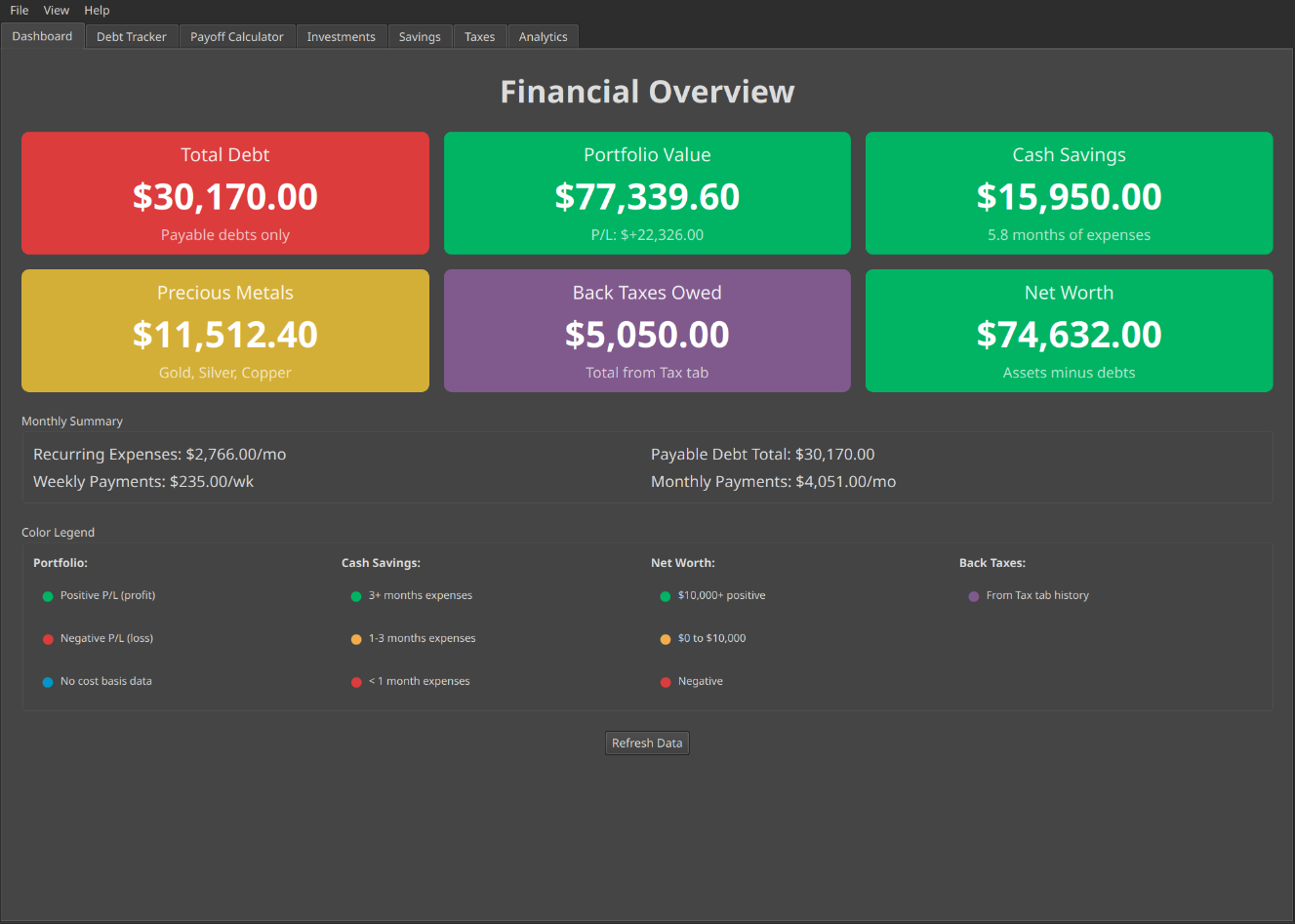
The main dashboard with color coded cards for total debt, portfolio value, savings, precious metals, back taxes, and net worth
The core features:
- Financial dashboard with color coded cards for total debt, portfolio value, savings, precious metals, back taxes, and net worth
- Debt tracker with separate tables for recurring expenses and payable debts. Back taxes auto-sync from your tax history on every launch
- Snowball payoff calculator with projected payoff dates and optimal debt order
- Investment portfolio tracking stocks, ETFs, mutual funds, and cryptocurrency with live prices via yfinance and CoinGecko
- Savings tracker for cash accounts and precious metals (gold, silver, copper) with live spot prices and emergency fund goals
- Tax history and estimator with a current year projection based on your personal average
- Analytics charts with daily snapshots tracking net worth, debt payoff progress, and portfolio value over time
- Encrypted backups using AES-128 with PBKDF2 key derivation and password protection
Debt Tracker and Payoff Calculator
The debt tracker separates recurring expenses from payable debts. Back taxes pull in automatically from your tax history so the dashboard is always current. The payoff calculator applies the debt snowball strategy, ranks debts by balance, and projects a debt-free date based on your available monthly payment.
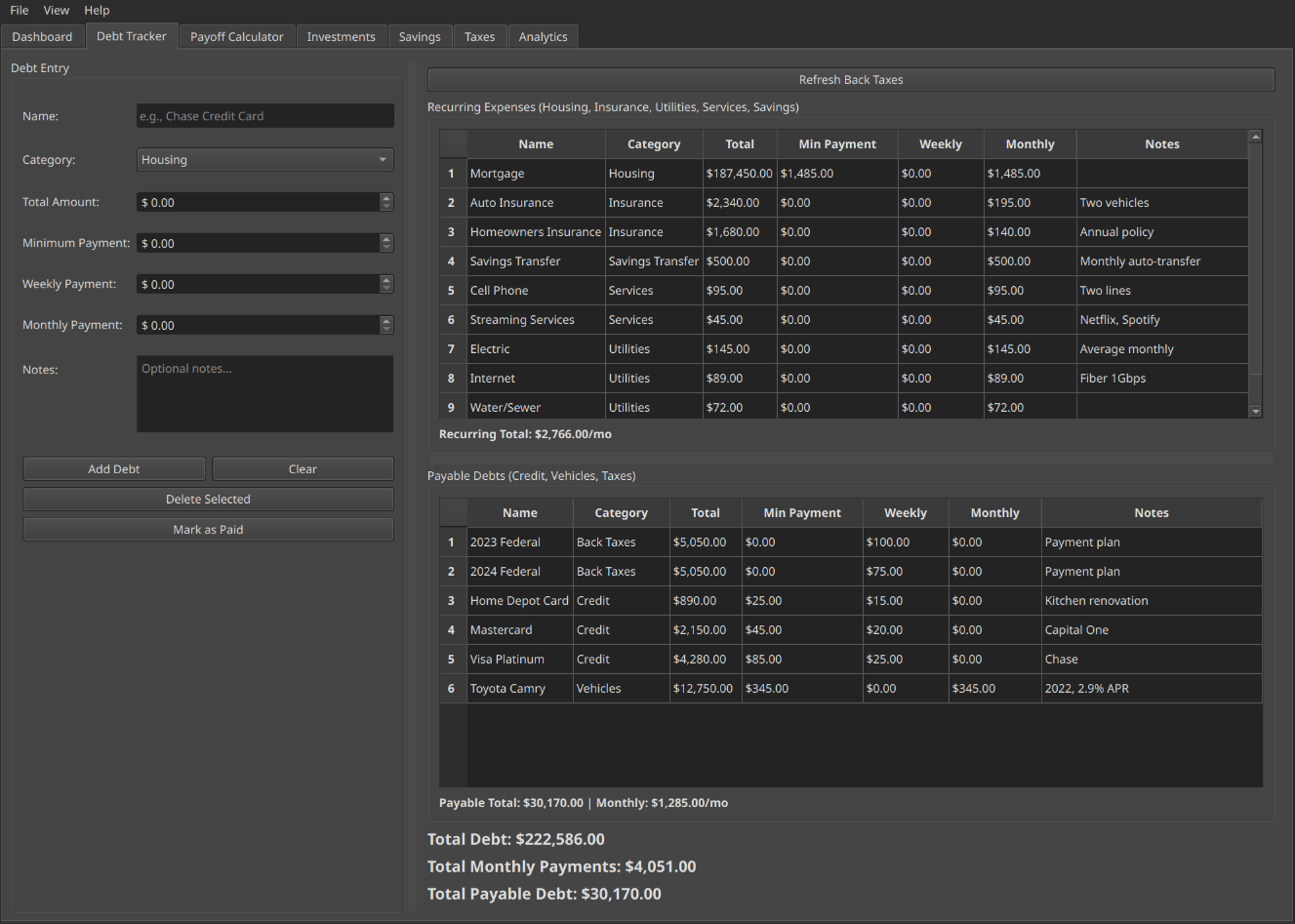
Debt tracker with separate tables for recurring expenses and payable debts
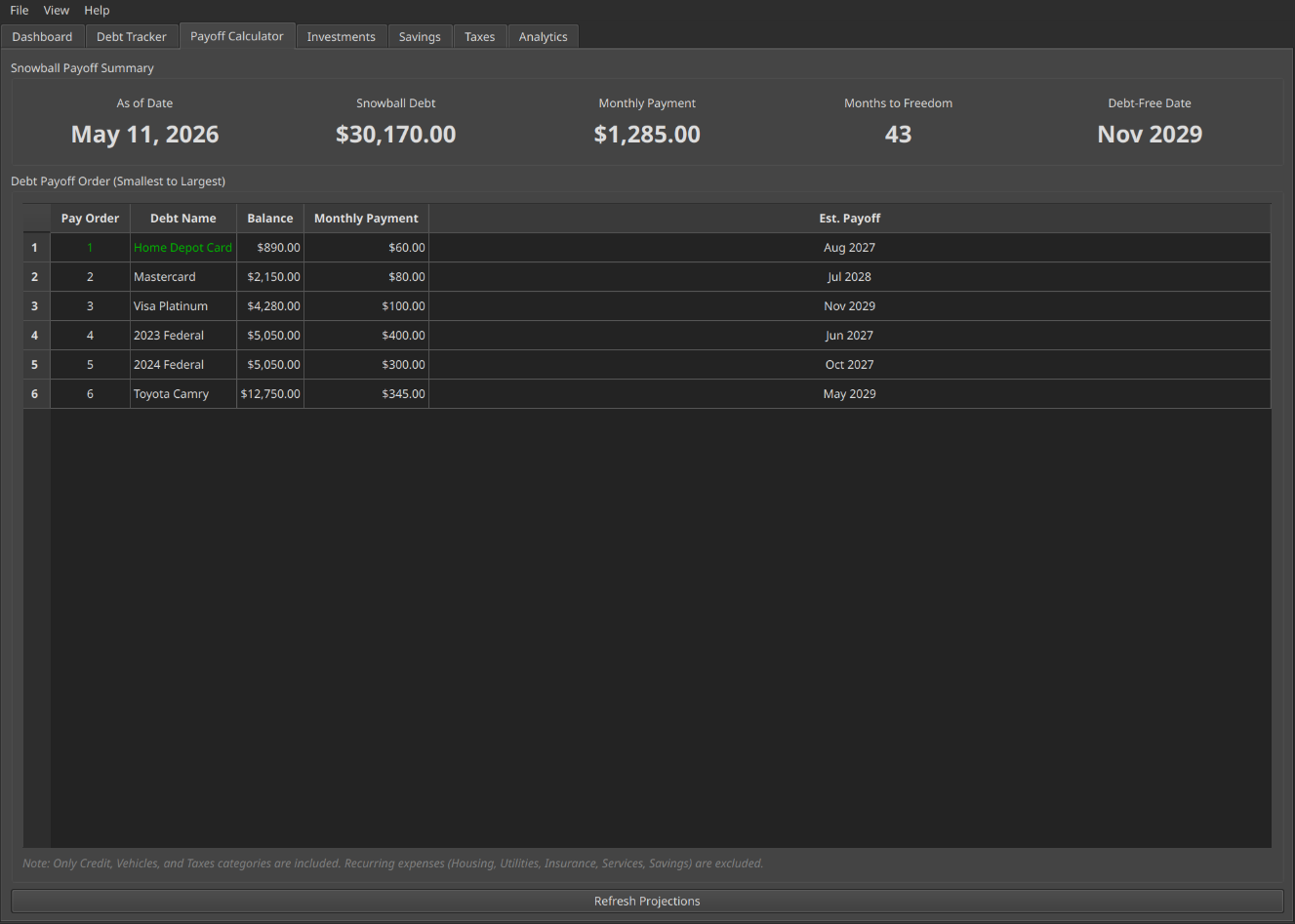
Snowball payoff calculator with projected debt-free date and optimal pay order
Investments and Savings
The investments tab organizes holdings by brokerage and account type. Stocks, ETFs, and mutual funds pull live prices from Yahoo Finance. Cryptocurrency uses CoinGecko's public API. Profit and loss tracking updates automatically on every price refresh.
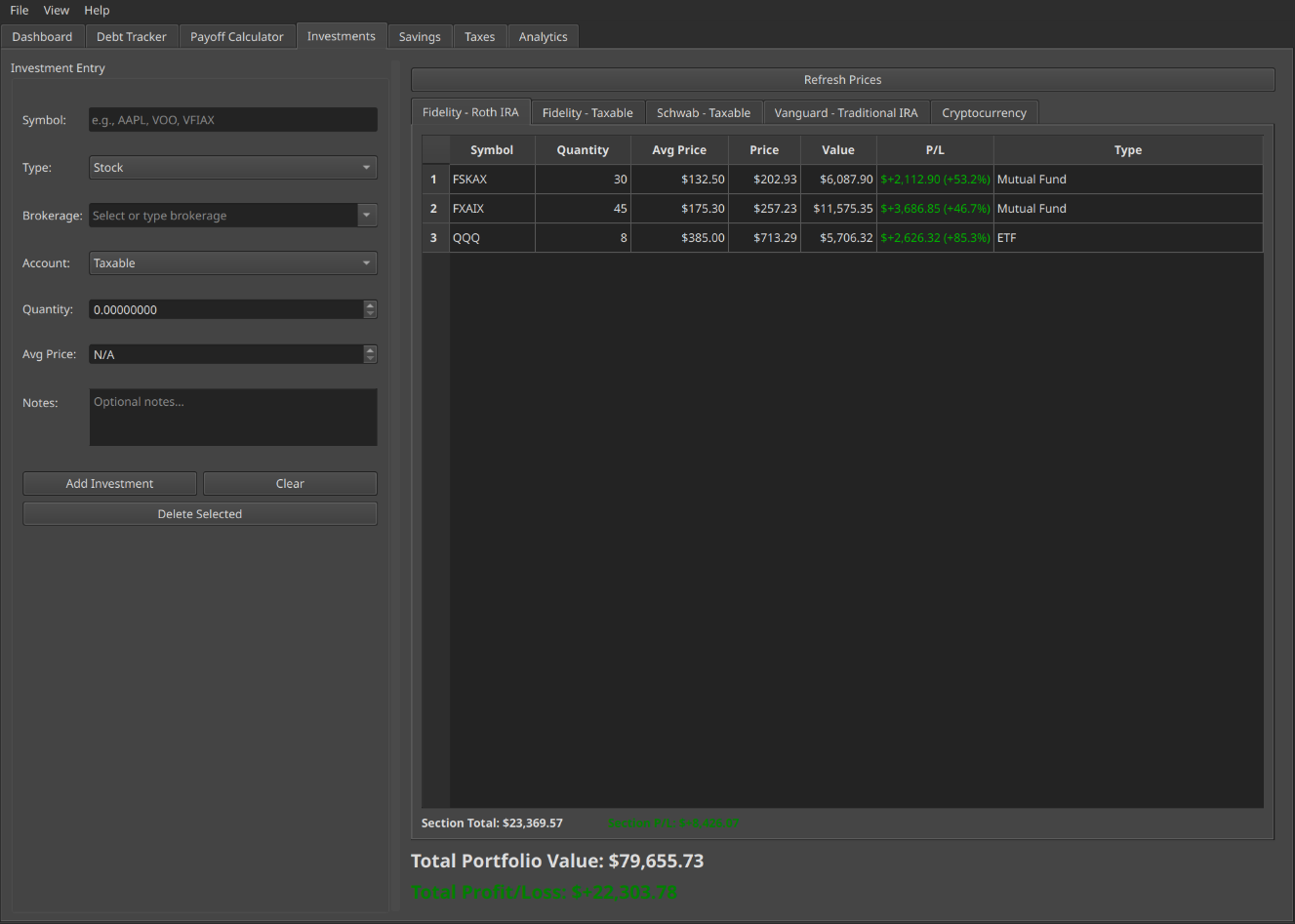
Investment portfolio organized by brokerage and account type with live prices and profit/loss tracking
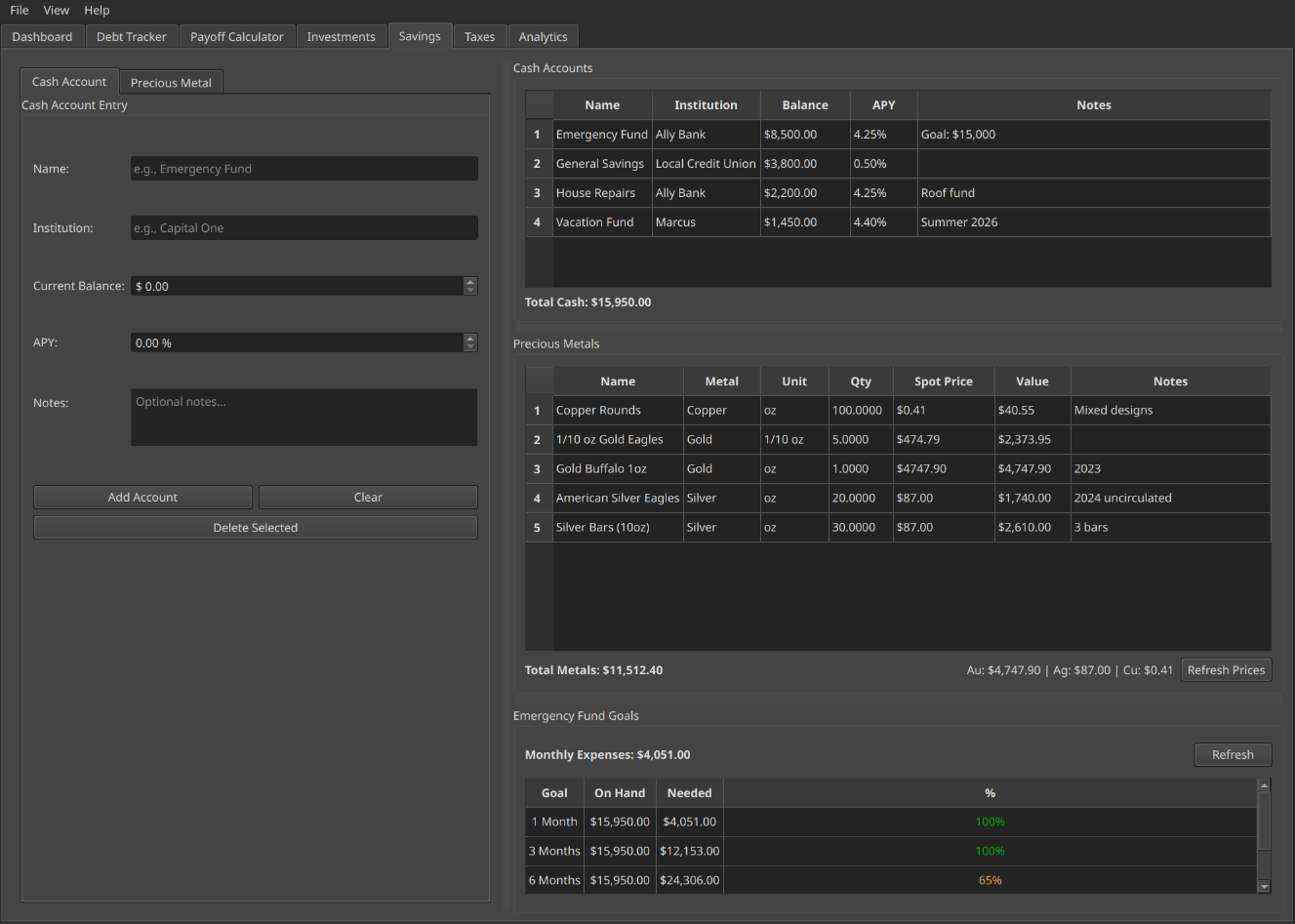
Cash savings with emergency fund goals and precious metals with live spot prices
Taxes and Analytics
The tax tab stores a full history of prior year filings and uses your personal average to estimate the current year. Dynamic notes explain exactly how the estimate is calculated from your data. The analytics tab charts net worth, debt payoff progress, and portfolio value over time using daily snapshots stored in the local database.
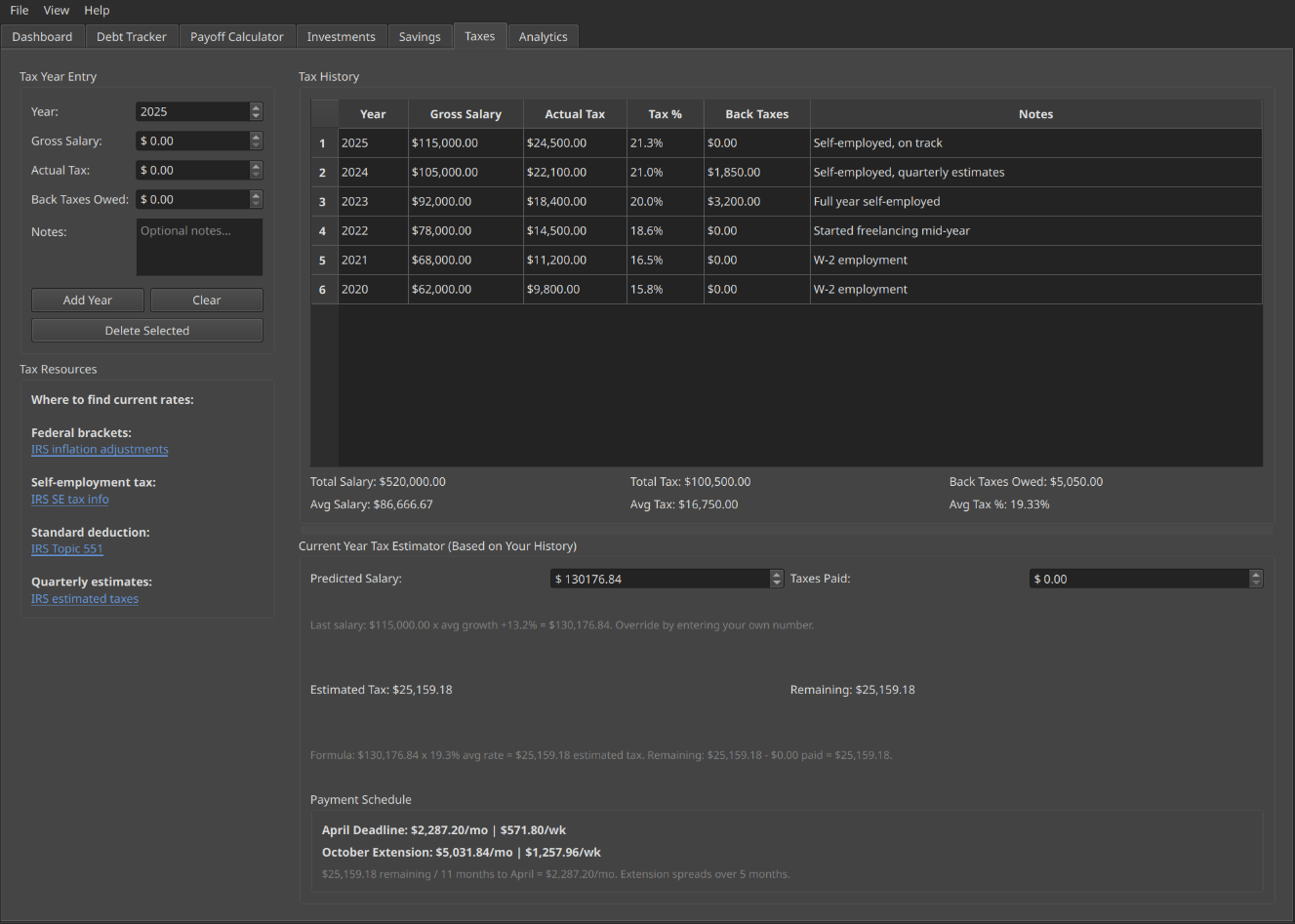
Tax history with current year estimator and dynamic calculation notes
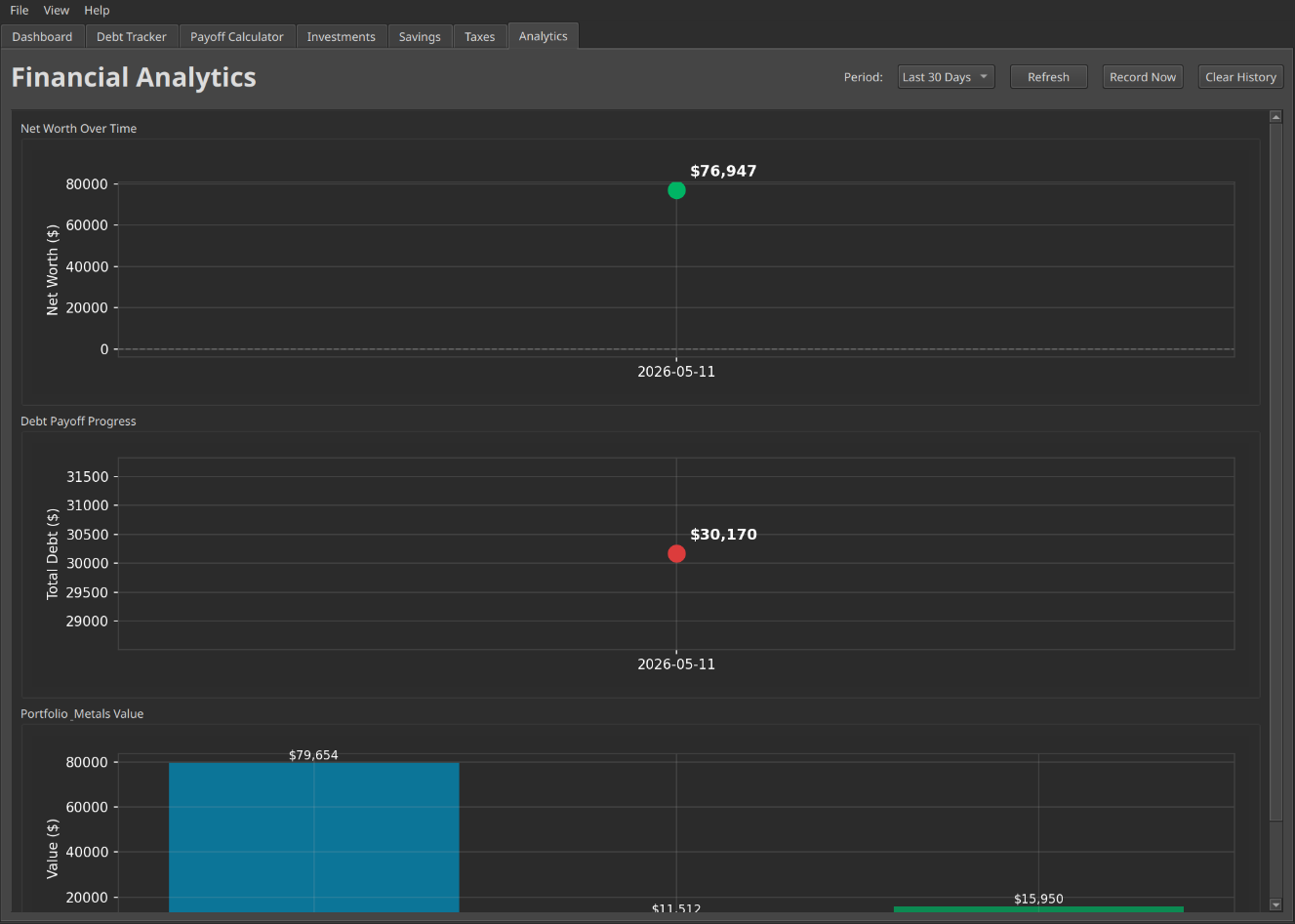
Historical charts tracking net worth, portfolio value, and debt payoff progress over time
Architecture
The tech stack was chosen for simplicity, privacy, and minimal dependencies:
| Layer | Technology | Why |
|---|---|---|
| Language | Python 3.12 | Rapid development, excellent library ecosystem, cross-platform |
| GUI | PyQt6 | Native desktop feel, mature framework, full widget toolkit |
| Database | SQLite | Local, single file, no server, built into Python |
| Charts | matplotlib | Embedded directly in PyQt6 widgets, no external renderer |
| Stocks / ETFs | yfinance | Read-only price lookups via Yahoo Finance, no API key required |
| Crypto | CoinGecko API | Public API, no account required, broad coin coverage |
| Encryption | cryptography (Fernet) | AES-128 with PBKDF2 key derivation for backup files |
| Build | PyInstaller | Standalone executable, no Python install required to run |
The application stores all data in a local SQLite database file that you choose at startup. You can maintain separate databases for different scenarios, move the file between machines, or back it up with AES-128 encryption from within the app.
+------------------------------------------+
|  QuietLedger Desktop App                 |
|                                          |
|  +----------------+  +----------------+  |
|  | PyQt6 GUI      |  | matplotlib     |  |
|  | Tabs, Tables,  |  | Analytics      |  |
|  | Forms, Cards   |  | Charts         |  |
|  +----------------+  +----------------+  |
|          |                               |
|  +------------------------------------+  |
|  | SQLite Database (local file)       |  |
|  +------------------------------------+  |
+------------------------------------------+
           |
           | HTTPS (read-only price lookups)
           v
+------------------------------------------+
|  Market Data APIs                        |
|                                          |
|  yfinance (stocks, ETFs, mutual funds)   |
|  CoinGecko (cryptocurrency)              |
|  metals-api (gold, silver, copper)       |
+------------------------------------------+
Key Design Decisions
- Local SQLite database. No server, no connection string, no maintenance. The database is a single file that lives wherever you put it. You own it completely.
- Database selected at startup. QuietLedger prompts you to choose or create a database file on launch. This makes it easy to maintain separate databases and keeps the app itself stateless.
- Read-only market calls only. The only outbound network requests are price lookups. Nothing about your holdings, balances, or identity is ever transmitted.
- Encrypted backups built in. Rather than relying on users to manage backups externally, the app includes a one-click encrypted backup and restore. AES-128 with a user-supplied password means the backup file is safe to store anywhere.
- No auto-refresh on sensitive data. Market prices refresh on demand. The app never makes network calls in the background without the user triggering them.
The Build Process
QuietLedger was built in phases, each one adding a complete, usable feature set before moving to the next:
- Phase 1: Core application shell, database schema, startup dialog, and the main dashboard with financial summary cards
- Phase 2: Debt tracker with recurring and payable debt tables, back tax auto-sync, and the snowball payoff calculator
- Phase 3: Investment portfolio with live price lookups for stocks, ETFs, mutual funds, and cryptocurrency
- Phase 4: Savings tracker with cash accounts, emergency fund goals, and precious metals with live spot prices
- Phase 5: Tax history with current year estimator, dynamic calculation notes, and back tax integration with the debt tracker
- Phase 6: Analytics charts with daily database snapshots tracking net worth, portfolio value, and debt payoff progress over time
- Phase 7: Encrypted backup and restore, dark and light themes, built-in user guide
Each phase was fully tested in daily use before starting the next. QuietLedger has been tracking real finances since the core dashboard was completed.
Going Open Source
QuietLedger is being released as open source under the AGPL license through QuietWire Dev, a separate identity focused on open source privacy-first tools. The GitHub organization is at github.com/quietwire-dev.
The open source release involves sanitizing the git history, adding setup documentation, and building standalone executables for Linux, macOS, and Windows via PyInstaller. The goal is a clean repository with a one-command install that anyone can run without needing Python installed.
For more details and screenshots, see the QuietLedger project page.
What I Learned
- Build what you actually need. QuietLedger exists because no existing tool handled the privacy requirements. The best motivation for a project is a problem you deal with every day.
- PyQt6 is a serious GUI framework. It takes more setup than a web app, but the result is a fast, native desktop application with no browser dependency and no Electron overhead.
- SQLite is enough. For a single-user personal tool, SQLite eliminates an entire dependency. No database server to run, no connection pooling, no backups beyond the file itself. It just works.
- Privacy by design is simpler than retrofitting it. Starting with the constraint that no personal data leaves the machine shaped every architecture decision from the beginning. Adding privacy to an existing cloud-connected app is much harder.
- Phase-based development keeps things shippable. Every phase ended with a working, daily-use application. The temptation to build everything at once is real, but delivering in increments means you always have something running.
Resources
- QuietLedger project page - Full details and screenshots
- quietwire.dev - QuietWire Dev home
- github.com/quietwire-dev - GitHub organization
- Open Source page - QuietWire Dev project showcase